Two updates rolling out for Opportunities — making personal pipeline views easier to set up and giving you more context at a glance. Both came from repeated customer requests.
What's New
Dynamic "me" filter for Owner and Follower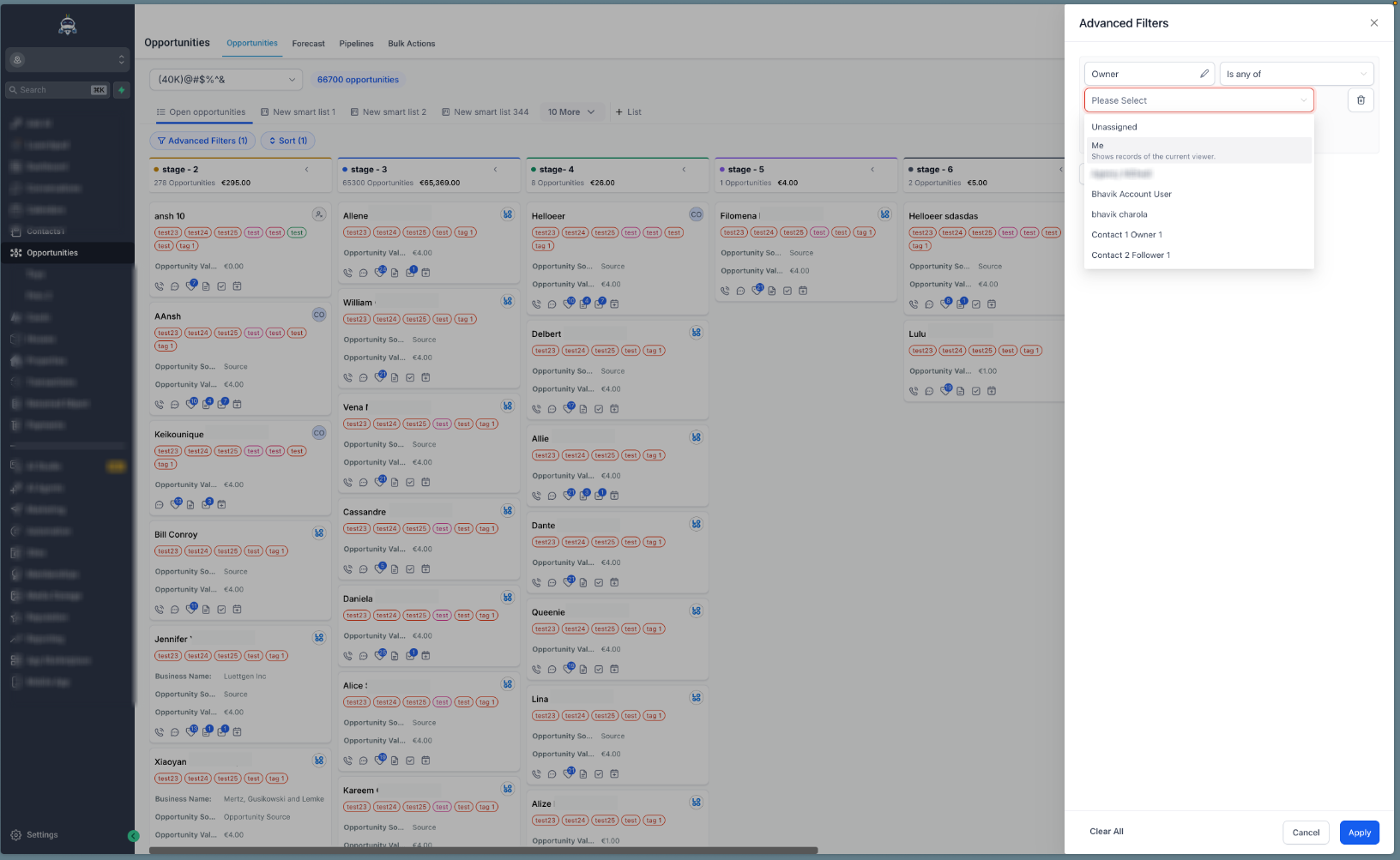
Added a dynamic me option in Owner and Follower filters
Available in both Advanced Filters and Smart Tags
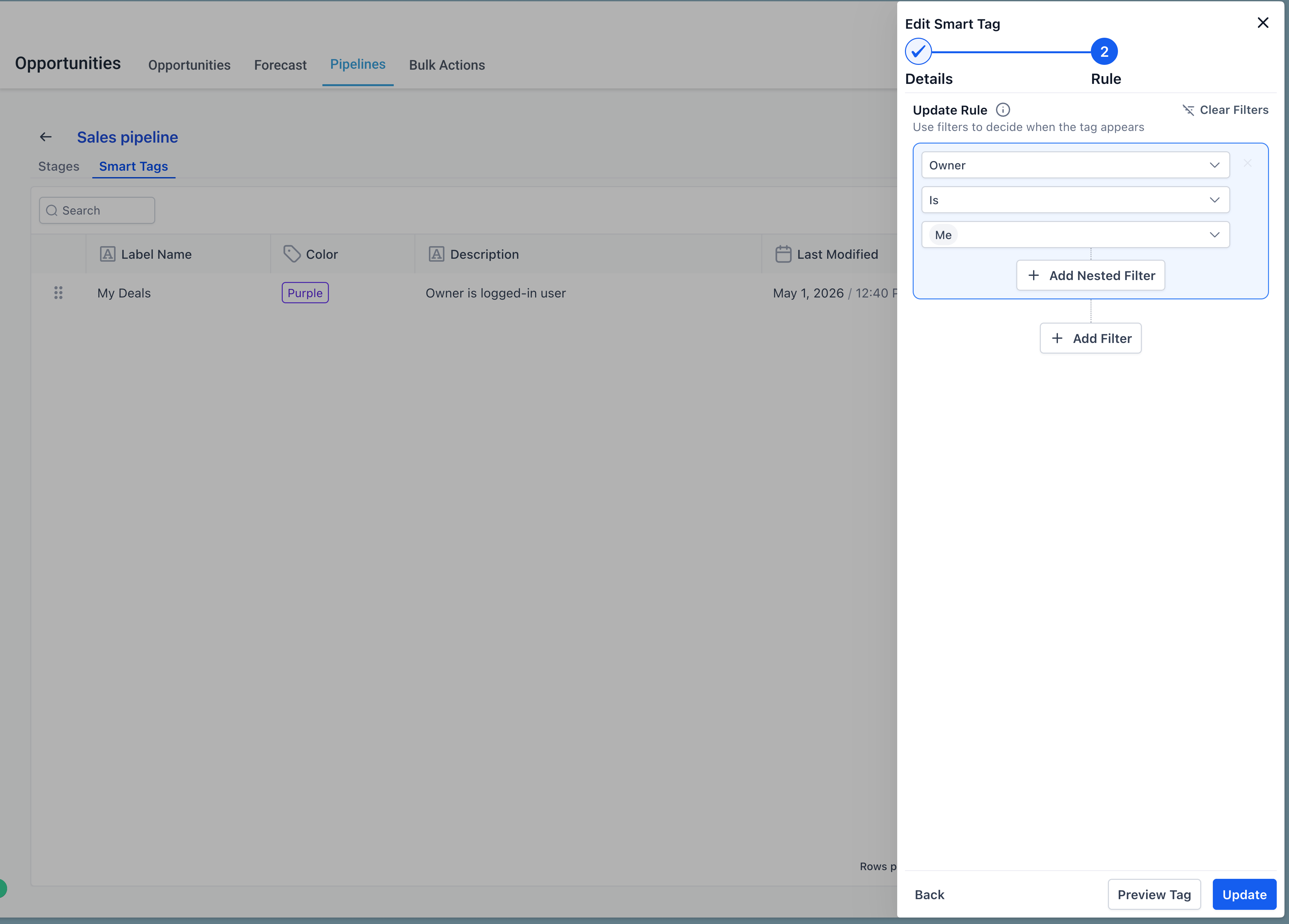
"me" automatically resolves to the logged-in viewer
Primary contact's notes in the List view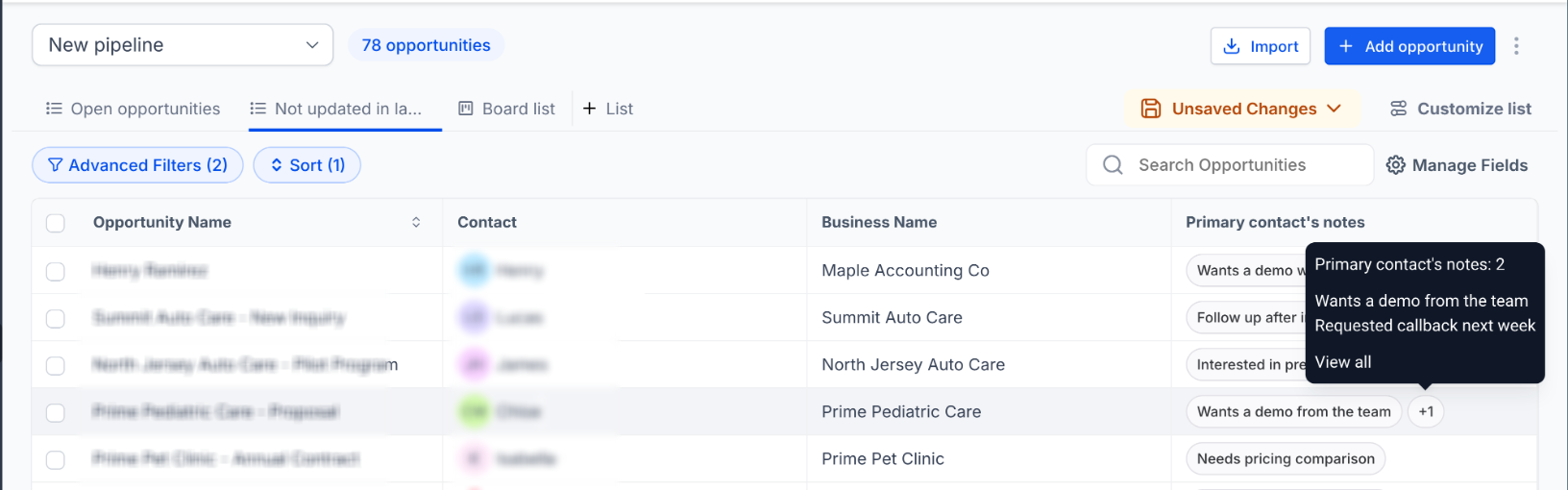
Added Primary Contact Notes as a column option in the Opportunities List view
Shows all notes from each opportunity's primary contact
Behaves like other list view columns — sortable, resizable, includable in saved views
How It Works
To use the dynamic "me" filter
Open Opportunities
Open Advanced Filters or the Smart Tag editor
Add a filter on Owner or Follower
In the value dropdown, select me
Save as a Smart Tag to reuse across sessions or share with the team
When a Smart Tag with "me" is shared, every viewer sees only their own opportunities.
To add the Primary Contact Notes column
Open Opportunities in List view
Open Customize Columns
Toggle on Primary Contact Notes
Why It Matters
Removes the need to build a separate filter view per user
Lets reps reuse one personal view instead of rebuilding filters each session
Standardizes "my opportunities" across the team with a single shared definition
Faster context for prep before calls and daily triage
Removes the click-into-record step for scanning primary contact notes
Was this article helpful?
That’s Great!
Thank you for your feedback
Sorry! We couldn't be helpful
Thank you for your feedback
Feedback sent
We appreciate your effort and will try to fix the article