What’s new
Deleting a blog post no longer removes it permanently, Restore Blog Post brings the post back with its original content and status, For long-term cleanup, users can choose Delete Forever from the Deleted filter.
Updated Behavior:
The Blog post is marked as Deleted
It’s hidden from the main list
It remains fully recoverable for 30 days
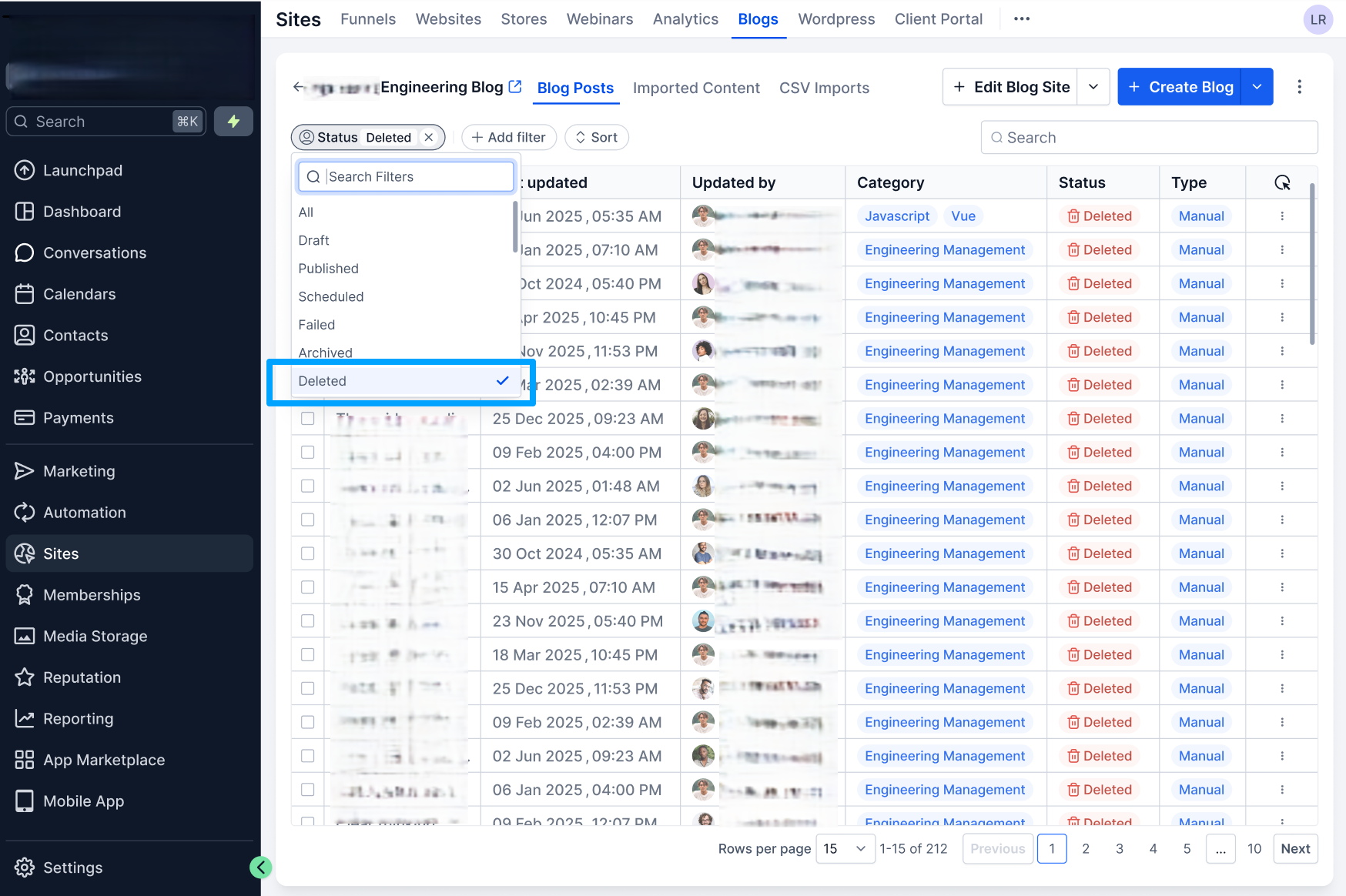
A dedicated “Deleted” filter now lets users:
View all deleted blog posts
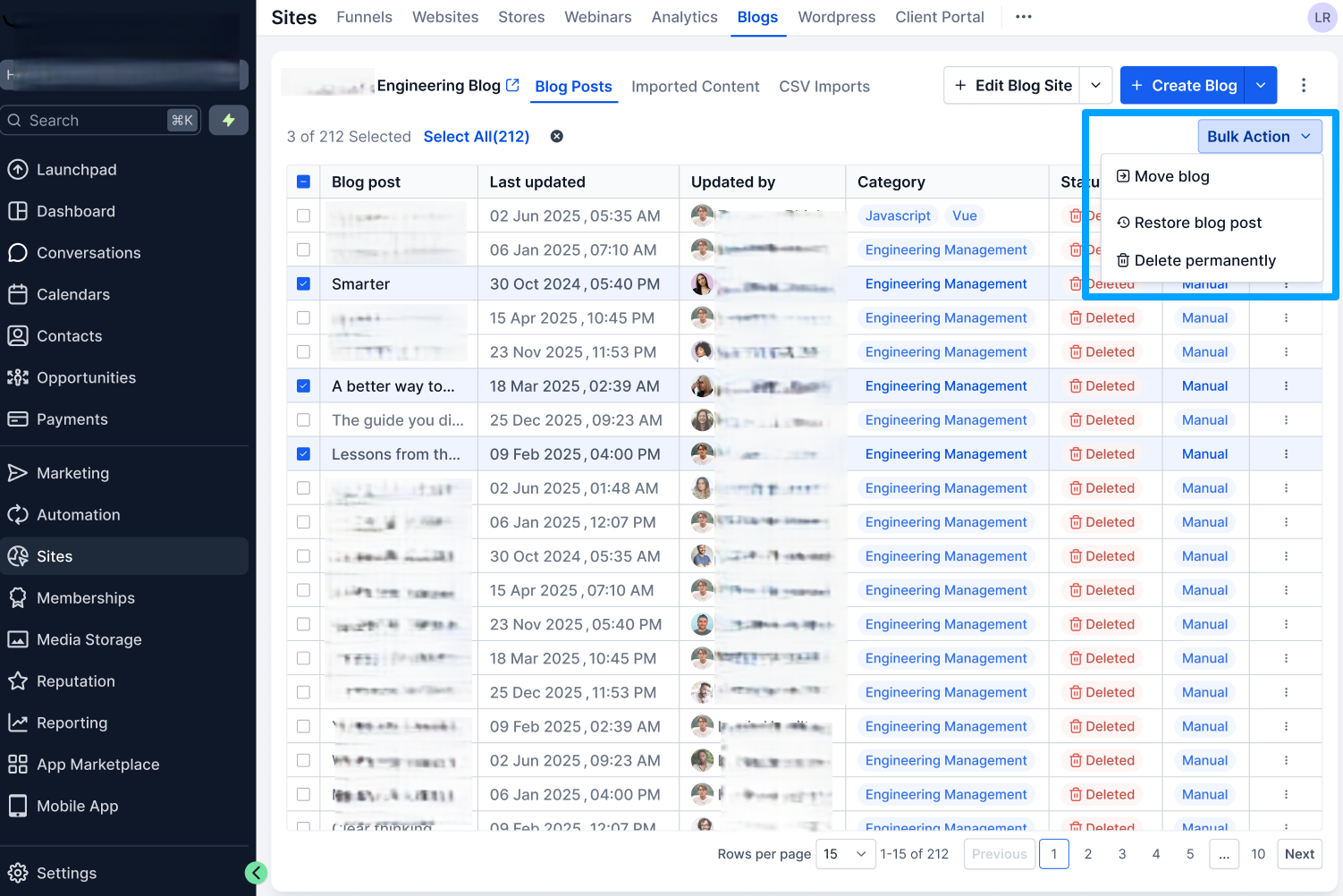
Restore a post with one click
Permanently delete if desired
Why it matters
This update helps users:
Avoid accidental content loss
Restore blogs without waiting on support
Maintain a safer, more intuitive content workflow
Manage blogs with confidence and full control
Reduce operational friction and support dependency
How it works
Delete a Post
Go to Sites → Blogs
Open the 3-dot menu on a post
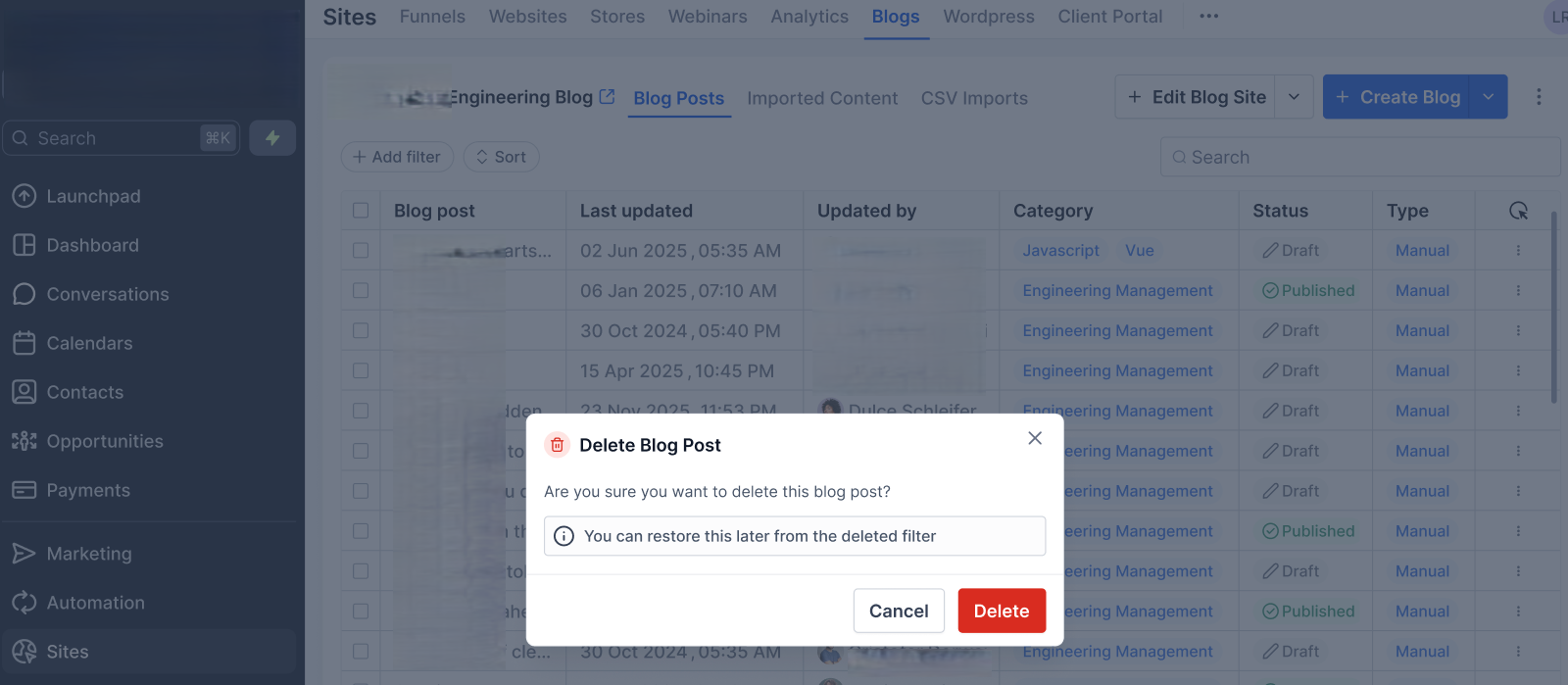
Click Delete → Confirm
Open the Deleted filter
Restore a Deleted Blog Post or bulk restore it or Permanently Delete a Post
Was this article helpful?
That’s Great!
Thank you for your feedback
Sorry! We couldn't be helpful
Thank you for your feedback
Feedback sent
We appreciate your effort and will try to fix the article